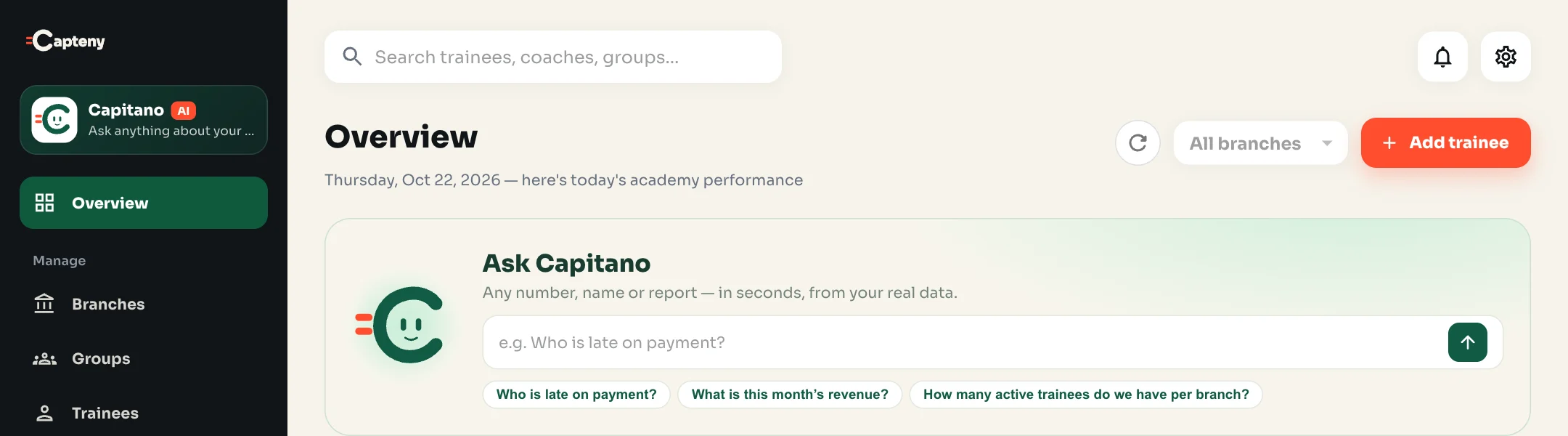
1. Where does an academy owner’s time go?
In most academies we visited, the data exists but it is scattered: subscriptions in a sheet, attendance in a notebook or an app, transfers in WhatsApp chats. Asking “who is late on payment?” takes half an hour of matching, and the answer is stale as soon as you finish.
The problem isn’t missing data, it’s getting to it quickly. That is exactly what an AI assistant solves when it is connected to your academy’s real data.
2. What should an AI assistant actually do?
Not every “AI” is useful to an academy. A general assistant that writes nice text doesn’t know who owes you money. These criteria separate a tool you use every day from one you try once:
| Criterion | Why it matters | In Capitano |
|---|---|---|
| Answers from your data | A generic answer doesn’t help with a decision about a trainee or a branch. | Searches your academy’s data at the moment you ask. |
| Shows its source | To trust a number you need to see what it was built from. | The result table, its source and count with every answer. |
| Changes nothing on its own | One wrong payment record costs more than the time saved. | Prepares a draft; you review and save. |
| Respects permissions | Not every staff member should see the finances. | The owner decides who uses him, and every draft follows its user’s permissions. |
| Speaks your language | You won’t type formal questions at the pitch. | Egyptian Arabic, standard Arabic and English. |
3. Five daily uses with ready questions
Every morning: what’s on today?
Ask “What are tomorrow’s sessions?” in the evening, or “Which coaches run these sessions?” to know who to call if a time changes.
Late payers
“Who is late on payment?” gives you the list with amounts and the oldest due date, then “Sort the late payers by due date” to start with the oldest.
Renewals coming up
“Which plans are about to expire?” before the weekend, so trainees don’t find out at the gate.
Attendance that’s slipping
“Who missed the most sessions this month?” shows who is drifting away, so you call them before they decide not to renew.
Revenue at the end of the month
“What is this month’s revenue?”, then “Compare revenue with last month” and “Which plan brought the most revenue?”.
4. An AI assistant also writes, not just answers
The most repetitive work in an academy is data entry: a registration message on WhatsApp, an InstaPay transfer, an Excel file from last season. A good assistant turns these into ready drafts and shows you what it took from the message and what needs your check. See the details in the guide to registering from WhatsApp messages.
5. Limits you should know
- Answers are only as good as the data: if a session’s attendance wasn’t recorded, the assistant can’t see it. Regular recording is a must.
- Check important numbers: before a financial decision or a call to a trainee, look at the table behind the answer.
- It doesn’t contact people for you: it prepares the message, and you send it and talk to the trainee.
- It doesn’t replace your team: it saves search time, but decisions and relationships with trainees are yours.
6. A one-week plan to start
- Day 1: make sure trainees and subscriptions are moved, and ask “How many active trainees do we have per branch?” to match the numbers with what you know.
- Days 2–3: ask about late payers every morning, and record the payments that come in.
- Day 4: try “Set up my academy”, or paste a registration message or an InstaPay transfer, and review before saving.
- Day 5: decide which admins use the assistant, according to their permissions.
- End of the week: ask about attendance and revenue, and compare the time you saved.
See everything Capitano can do, or read the guide to daily questions.
Want software that does this for you? Capteny is sports academy management software made in Egypt, with pages for each sport such as football academy management software and gym and martial arts software.