
Home ‹ Capitano AI
New in Capteny · Capitano AI
Capitano: the AI assistant for running your sports academy
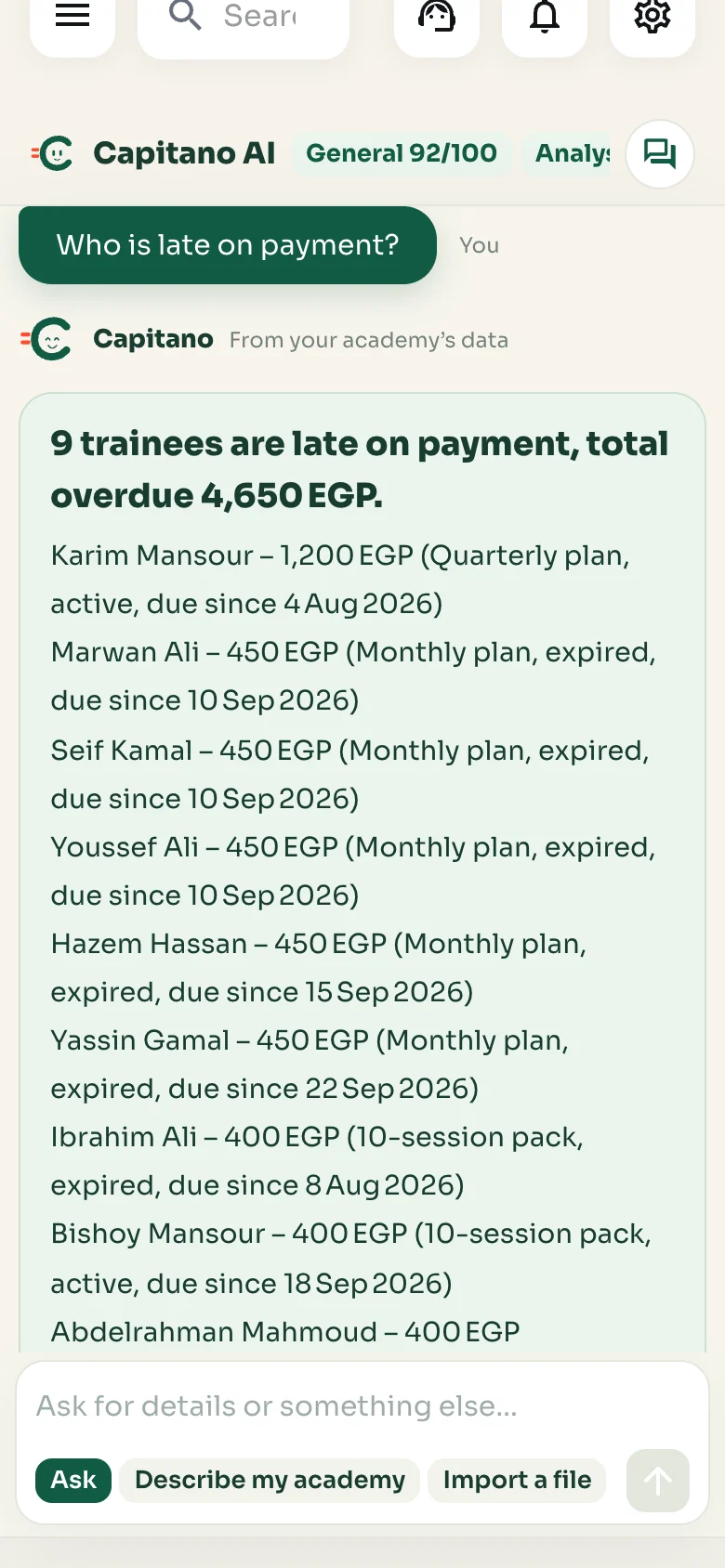
Ask Capitano in your own words about any trainee, payment or number in your academy. He searches your real data and answers in seconds, with the table behind the answer. He also sets up your academy with you step by step in the chat, with the dashboard’s own forms, and prepares InstaPay payments from the transfer message and trainee invites from Excel files. You approve before anything is saved.
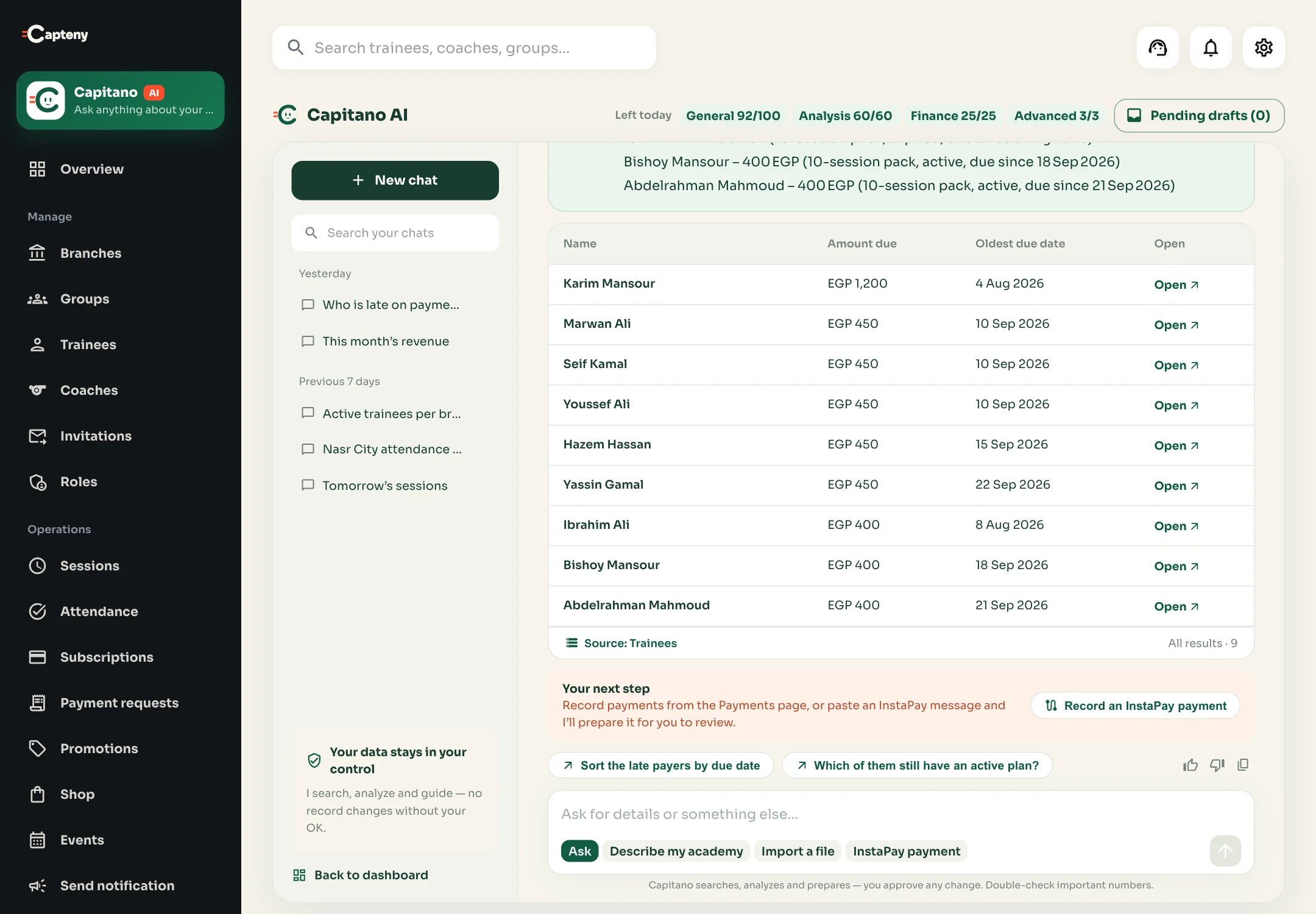
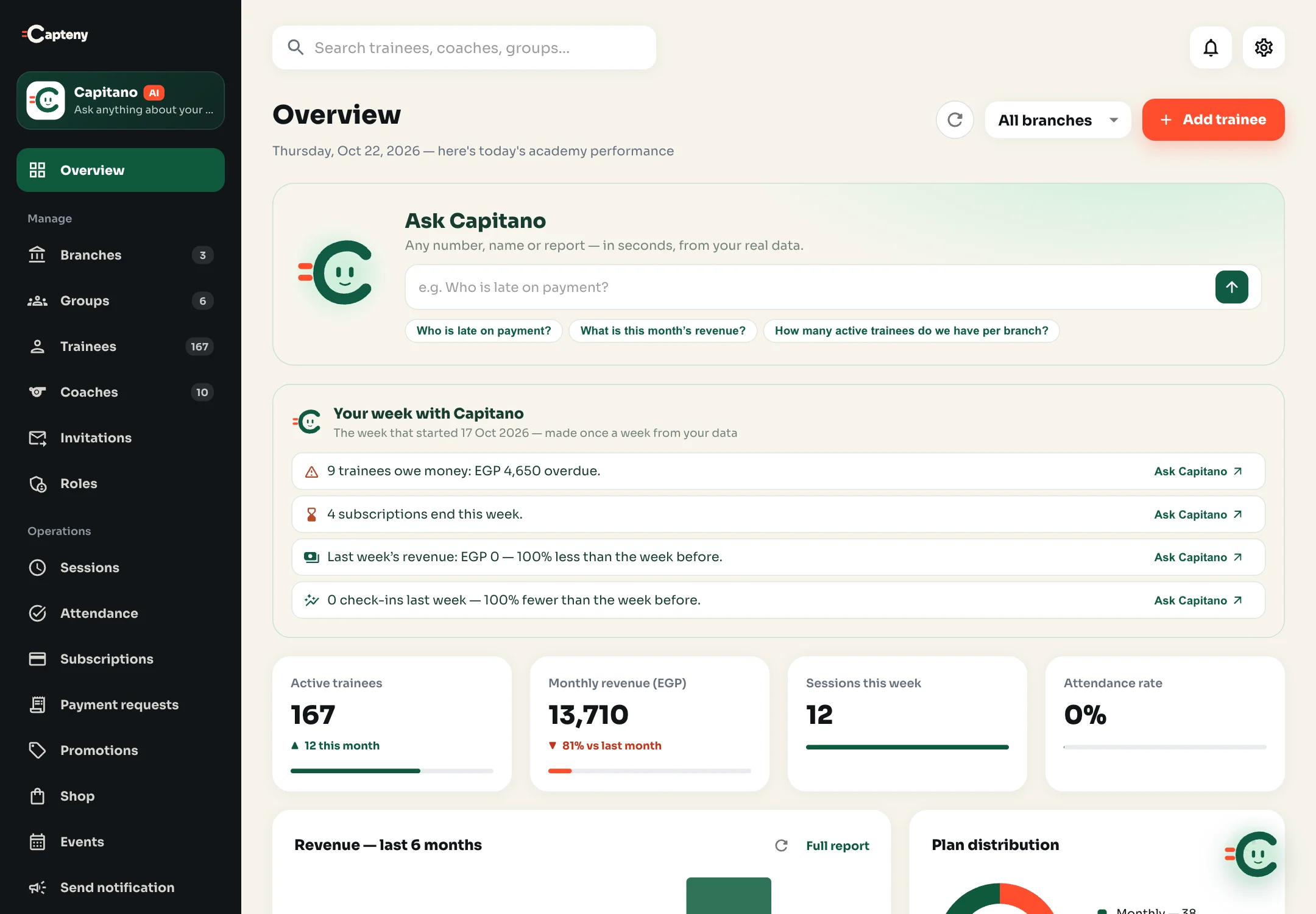
A screen from the Capteny dashboard on a sample academy’s data.
Ask him anything about your academy
Questions Capitano answers from your data
Type the question the way you’d ask your branch manager. He understands Egyptian Arabic, standard Arabic and English, and searches your academy’s data only.
Payments & late payers
- Who is late on payment?
- Sort the late payers by due date
- When was Ahmed’s last payment?
Revenue & finance
- What is this month’s revenue?
- Compare revenue with last month
- Which plan brought the most revenue?
Attendance
- Who missed the most sessions this month?
- What is the attendance rate per branch?
- What is this group’s attendance rate?
Trainees & subscriptions
- Which plans are about to expire?
- How many active trainees do we have per branch?
- Who in this group is late on payment?
Sessions & schedule
- What are tomorrow’s sessions?
- Which coaches run these sessions?
- How many groups per branch?
Academy shop
- What is the best-selling product?
- How many orders are not delivered yet?
- What are this month’s shop orders?
What an answer looks like
Answers you can check, not vague text
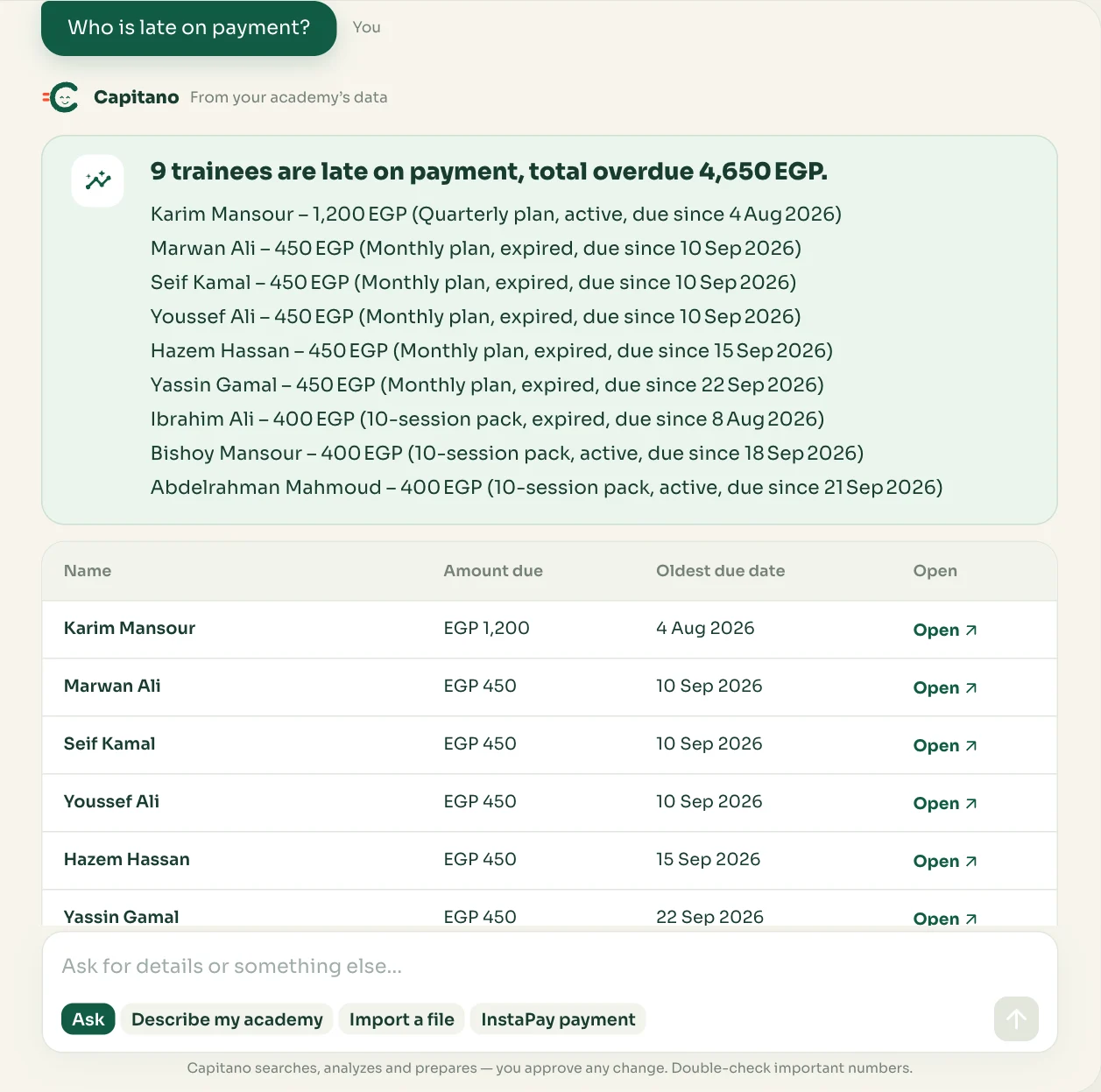
- The takeaway and the key figureOne line that answers your question, with the number that matters next to it: total overdue, revenue or number of trainees.
- The table and its sourceThe rows the answer was built from, with names, branches, amounts and dates, the data source and the result count, and a link to each trainee’s page.
- Your next stepWhen the answer is about money owed, he suggests recording the payment or pasting an InstaPay message for him to prepare.
- Follow-ups and feedbackTwo suggested questions that carry the analysis on in one tap, copy, and a thumbs up or down so we can improve him.
While he works he tells you what he’s doing, like “Capitano is reviewing attendance…” or “adding up revenue…”, and you can stop the answer at any time.
New: set up your academy
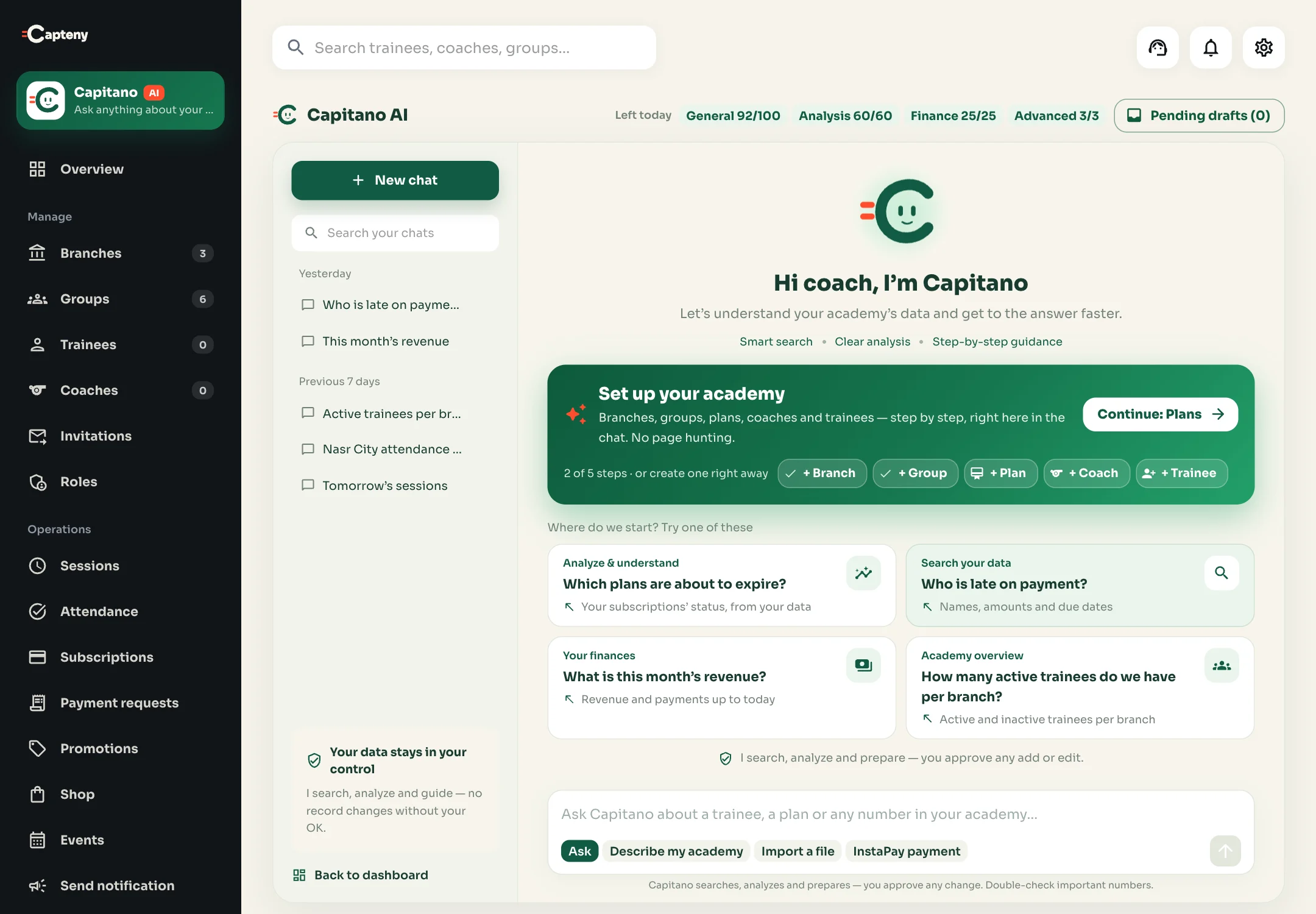
Set up your academy in minutes, from one chat
New to Capteny? Tell Capitano “Set up my academy” and he walks you through it step by step: branches, then groups, plans, coaches and trainee invites. Each step is the dashboard’s own form, opened right in the chat and filled from what you type, and setting up uses none of your credits.


And no hunting for pages: ask “Where is the subscriptions page?” and he tells you where it is in the menu and takes you there, or opens the form right here.
AI data entry
He prepares the manual work. You review and save.
Three modes inside Capitano turn text and files into ready drafts. For every field he shows what he took from your text, what needs your check and what is missing.
Describe your academy in your own words: branches, groups, times and prices. Capitano prepares the branches, groups and plans in one draft and asks about anything missing before you save.
Upload an Excel or CSV file of up to 5 MB and 2,000 rows. He proposes which column maps to which Capteny field, you review and fix the rows, then invites are created per group with a message list for each parent.
Paste the transfer message. He pulls out the amount, date, reference and sender, and suggests the trainee with the pending payment request. On save he approves that request or records the payment, and he won’t accept a reference that was already recorded.
And if you paste a parent’s registration message in “Ask”, he opens the dashboard’s own trainee invite form; if it’s an InstaPay transfer, he offers to record the payment.
You stay in charge
Your data stays under your control
Capitano only searches, analyzes and prepares. No registration, payment or setup is saved until you review it and press save.
He reads the data of the academy you’re working in, never another academy’s data on the platform.
The academy owner decides which admins can use Capitano, and every draft follows the permissions of whoever uses it: someone who can’t manage payments can’t record one.
Answers are shown as text and tables only, with no external links or embedded content. We always recommend double-checking important numbers.
Every chat is saved, searchable, and can be renamed or deleted, even after the month’s credits are used up.
Where to find him
Capitano is on every page of the dashboard
- In the sidebarThe first item under the Capteny logo: “Ask anything about your academy”.
- On the overviewThe “Ask Capitano” card with ready questions, and “Your week with Capitano”: a summary made every week of what’s owed, what ends, revenue and check-ins.
- On every pageCapitano himself in the corner of the screen, greeting you once a day and opening the chat in one tap.
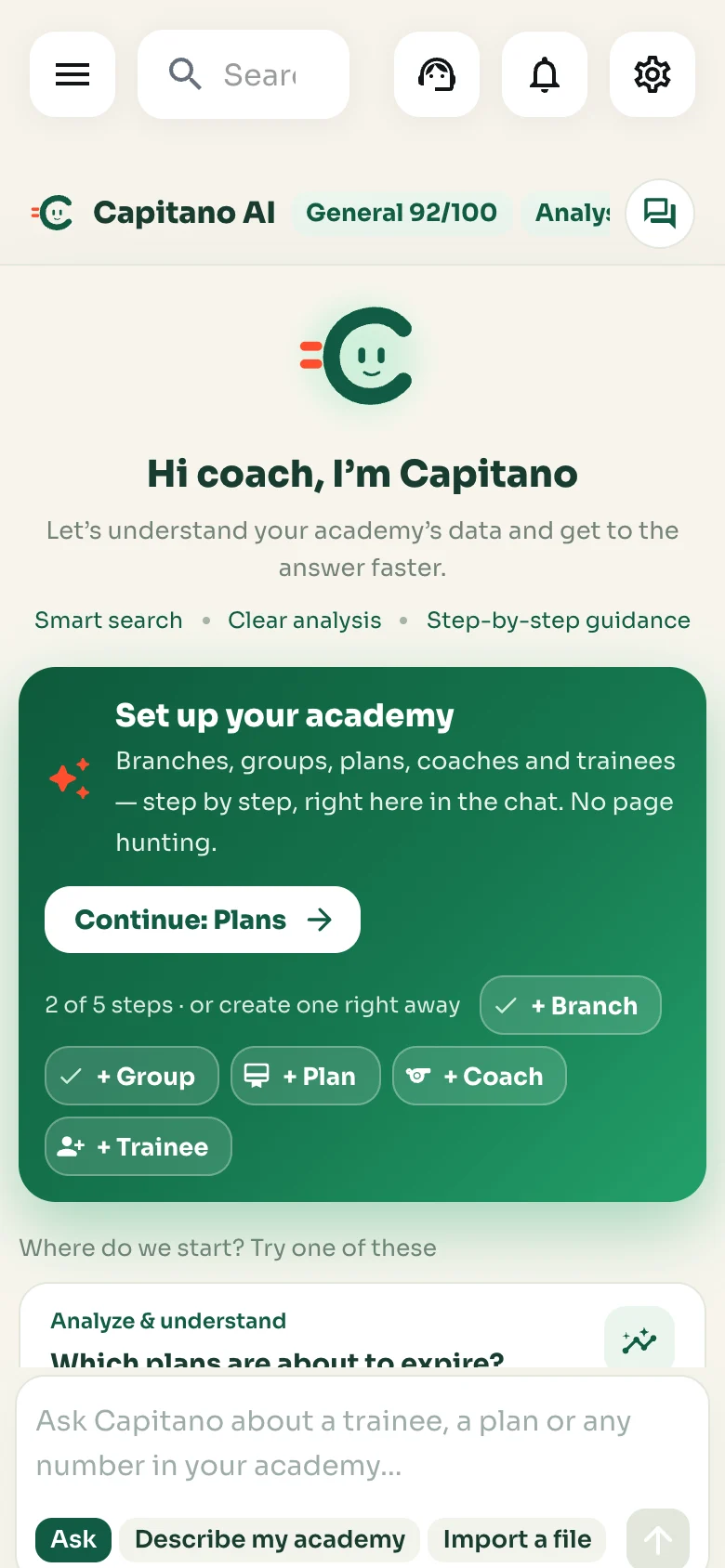
- On your phoneThe dashboard works in your phone’s browser, and the chat fills the screen so you can ask from the pitch.
Monthly credits
Free credits every month, and more with Capteny AI plans
Every academy gets 30 free credits a month to try Capitano with general questions. Plans that include Capteny AI give more credits every month, and each question uses credits by its category. Your balance shows above the chat, and credits renew on the 1st of each month.
Each plan’s monthly Capitano credits are on the pricing page, and your academy’s balance is in its settings.
Questions about Capitano
What is Capitano?
Capitano is the AI assistant inside the Capteny dashboard. Ask him in Arabic or English about any number or name in your academy and he searches your data and answers in seconds, with the table he built the answer from. He also sets up your academy with you step by step, and drafts payments and imports for you to review.
Where do Capitano’s answers come from?
From your academy’s data in Capteny at the moment you ask: trainees, payments, subscriptions, attendance, sessions, groups, branches, events and shop orders. He doesn’t make up numbers, and if he finds no data he tells you so.
Can Capitano change my academy’s data?
He never saves anything on his own. He prepares a draft, you review it, fix anything you want and press save. Every draft follows your permissions in the academy.
Does he understand Egyptian Arabic?
Yes. Type “مين متأخر في الدفع؟” or “إيراد الشهر ده كام؟” the way you’d say it, or write in standard Arabic or English.
Does setting up my academy use Capitano’s credits?
No. “Set up my academy”, opening the forms from your words and “Where is …?” are understood inside the dashboard itself, so they don’t use your credits. Only questions about your data use credits.
Does Capitano send WhatsApp messages to trainees?
No. He prepares the invite code (and, with file imports, a message per parent) and you send it from WhatsApp yourself. Capteny doesn’t send WhatsApp messages on your behalf.
How many questions can I ask?
Capitano works with monthly credits, and each question uses credits by its category: general 1, analysis 2, finance 4 and advanced 8. Every academy gets 30 free credits a month for general questions, and plans that include Capteny AI give more. Credits renew on the 1st of each month and unused ones don’t carry over, and no credits are used if the answer fails or times out.
Is Capitano in the mobile app?
Capitano is part of the management dashboard, which works on a computer and in your phone’s browser. The coach and member app doesn’t include him for now.
Who can use him in my academy?
The academy owner uses him and decides which admins can too, and everyone’s questions use the academy’s monthly credits.
Watch Capitano answer your academy’s questions
We show you Capteny and Capitano on sample data that looks like your academy, and move your data from Excel for free.
Book a demo